
Fast Connect
Fast Connect is the service that enables access to mobile broadband internet, and sending SMS within the network range of MobiFone via internet-connected devices operate on GPRS/EDGE/3G.
- Connect to the internet any time, anywhere.
- Convenient to set up and use.
- Flexible and controllable charges.
eSIM fees
|
Plans |
Fees (VND - VAT included) |
Free capacity with high speed |
Extra charges (50kB+50kB) |
|
30-days Package |
|||
|
FCO |
0 |
0 |
|
|
F70 |
70.000/30 days |
7GB |
9,77VND/50kB (approximately 200VND/mb) |
|
F90N* |
90.000/30 days |
9GB |
|
|
F120 |
120.000/30 days |
12GB |
|
|
F200 |
200.000/30 days |
20GB |
|
|
F300 |
300.000/30 days |
30GB |
|
|
Data50 |
50.000/30 days |
3,5 GB (2.5GB is available within the registered region (*), 1 GB is available within the country) |
|
|
Long-term Package |
|||
|
F150 |
150.000/90 days |
3GB/30 days |
Not applicable |
|
F250 |
250.000/180 days |
3GB/30 days |
|
|
F500N |
500.000/360 days |
4GB/30 days |
|
(*) F90N: When using up free data, Internet access is not avaiable
Instructions
In order to register for a Fast Connect account, please follow one of the following ways:
- Register for a new Fast Connect SIM, either pre-paid or post-paid, at any MobiFone stores nationwide.
- Transfer from other types of accounts to Fast Connect:
- From normal pre-paid account to pre-paid Fast Connect: Text PFC and send to 900; or type *090*5*10*1#OK, or *111*6#OK and continue as instructed.
- Other forms of transferring: at the MobiFone stores.
- Transfer fee: Free.
How to use the device:
In order to operate the device and Fast Connect SIMCard, you can follow one of the following methods:
- By using DataCard (with Fast Connect SIMCard readily installed) plugged into the USB portal, you can access the internet from your laptop or PC.
- By using laptop that already has SIMCard portal, you can directly connect to the internet via mobile network.
- By using laptop that connects to the internet via Wi-Fi, you can get your device to accept the transmitter wave from Wi-Fi transmitter that uses SIMCard MobiFone.
Register/Cancel/Extend the data capacity:
You can register, cancel, extend, send as a gift, or check up on the status of your data package via SMS, USSD, or MobiFone website:
- Via SMS:
|
Request |
Texting 999 |
|
Register for the service |
DATA ON |
|
Register for the package |
DK |
|
Data package Cancellation |
HUY |
|
Data package Extension |
GH |
|
No Data package extension |
KGH |
|
Send as a gift |
TANG |
|
Data package checkup |
KT DATA |
|
Help |
TG FC |
- Via USSD: please type *090*5*10#OK and do as instructed.
- Via website: please log in to www.mobifone.vn by your MobiFone Portal account, and do as instructed.
Please note that after you register and/or extend your data capacity of the Fast Connect plan, remember to turn off all internet applications and restart your device for your registered package to be valid and get charged.
Other Subscription types

MobiQ
MobiQ là gói cước trả trước được thiết kế phù hợp với người nhắn tin thường xuyên nhưng chỉ có nhu cầu gọi dưới 30 phút/tháng, với cước SMS rẻ gần 50% so với cước tin nhắn thông thường.
MobiCard
MobiCard là gói cước trả trước được thiết kế phù hợp với người không có nhu cầu nhắn tin nhiều và gọi khoảng từ 30 tới 135 phút/tháng. Ngoài chất lượng cuộc gọi hoàn hảo, bạn sẽ hoàn toàn kiểm soát chi phí kết nối phát sinh.

MobiGold
MobiGold là gói cước trả sau có chất lượng cuộc gọi hoàn hảo với cước gọi rẻ hơn 30% so với cước gọi thông thường, được thiết kế phù hợp với người phải liên lạc nhiều và dùng hơn 135 phút/tháng.
MobiF
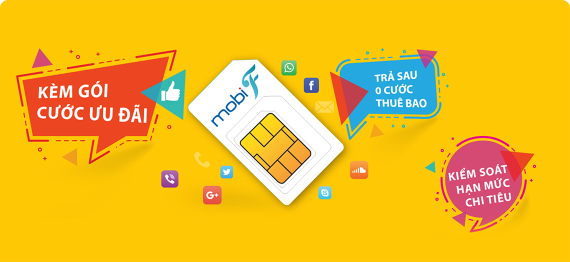
MobiF là gói cước trả sau với ưu đãi miễn phí cước thuê bao tháng và hỗ trợ khách hàng kiểm soát mức chi tiêu của mình. Khi đã dùng hết hạn mức, khách hàng có thể thanh toán/nạp tiền thêm để tiếp tục sử dụng như với thuê bao trả trước.